Cleaning Techniques for Different Types of Security Cameras
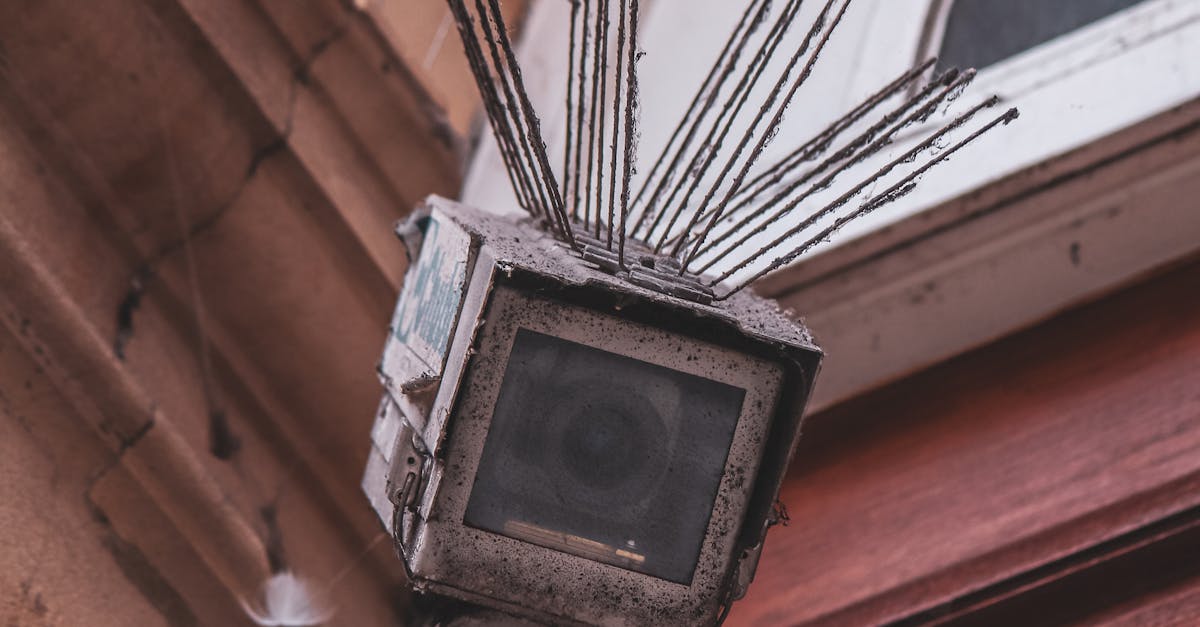
Table Of Contents
Addressing Outdoor Camera Challenges
Outdoor security cameras face unique challenges due to exposure to various environmental factors. Weather elements such as rain, dust, and extreme temperatures can significantly affect the performance and longevity of these devices. Regular maintenance is crucial to ensure that the camera remains functional and delivers clear images. This includes checking for any signs of water damage, corrosion, or debris that may obstruct the lens.
In addition to weather impacts, outdoor cameras are often subject to potential vandalism or tampering. It's important to install cameras at secure heights and angles to minimise the risk of interference. Using protective housings or enclosures can also provide an extra layer of defence against both natural and human-made threats. Keeping the camera and its surroundings clean not only enhances visibility but also promotes better overall performance, ensuring reliable surveillance.
Tips for Cleaning in Varied Weather Conditions
Keeping outdoor security cameras clear of dirt and grime is essential, especially when weather conditions fluctuate. Rainy or wet environments can lead to the accumulation of water spots and dirt, making it necessary to clean the lenses more frequently. Use a soft, lint-free cloth to gently wipe down the camera housing and lens. Avoid using harsh detergents that may damage the finishes. Instead, opt for a solution specifically designed for optical cleaning, ensuring the protective covers remain intact during this process.
Dusty or windy conditions pose additional challenges for maintaining camera clarity. Cameras located in dry, arid areas may attract dust quickly, obstructing the view. Regularly check and clean the cameras to prevent dust buildup, using a blower or soft brush to dislodge particles before they can settle. It's advisable to implement a routine cleaning schedule based on seasonal changes, allowing you to adapt your maintenance efforts to the specific environmental conditions your cameras face.
Safeguarding Your Camera's Lenses
Lenses are critical components of security cameras, and safeguarding them ensures optimal performance. Using lens caps when the cameras are not in use helps prevent scratches and dust accumulation. Regular inspections for signs of damage or wear can also minimise the risk of lens degradation.
When cleaning lenses, it is essential to use appropriate materials to avoid harm. Microfiber cloths are ideal for gentle cleaning, as they do not leave lint or scratches. Avoid using harsh chemicals that can damage coatings. A lens cleaning solution specifically designed for optical devices offers an added layer of protection.
Best Practices for Lens Maintenance
Maintaining the lens of your security camera is essential for ensuring optimal functionality and clarity in image capture. Regular inspection of the lens can help identify dust or smudges before they affect performance. Always start by using a microfiber cloth designed for delicate surfaces. This prevents scratches and preserves the integrity of the lens. Avoid using paper towels or rough fabrics, as these can cause small abrasions.
In addition to routine cleaning, consider applying a protective coating to the lens. These coatings can repel water and prevent dirt from accumulating, making it easier to maintain clarity. It is beneficial to clean the lens during less windy days to minimise exposure to dust and debris. When cleaning, ensure that any cleaning solutions are specifically formulated for optical devices; using inappropriate substances could risk damage to the lens.
Cleaning Cameras in High-Dust Environments
Cameras stationed in high-dust environments require regular and thorough cleaning to maintain optimal functionality. Dust accumulation can obscure lenses, impact image clarity, and hamper the camera’s overall performance. It is crucial to develop a routine cleaning schedule based on the specific conditions of the site. Depending on the level of dust exposure, routine checks may be necessary, ranging from weekly to monthly cleanings. Using a soft, microfiber cloth can effectively remove surface dust without scratching the lens surface.
In addition to regular cleaning, employing protective covers or shelters can significantly reduce dust buildup. These barriers act as a frontline defense against the elements and minimize the amount of dust that settles on the camera body and lens. Proper positioning of the cameras can also help; mounting them away from ground-level dust sources can decrease direct exposure. Utilising an air blower can assist in dislodging stubborn particles from hard-to-reach areas, ensuring a comprehensive clean without risking damage to the sensitive components.
Strategies for Reducing Dust Buildup
Dust accumulation on security cameras poses a significant challenge, particularly in industrial or outdoor settings. To combat this problem, positioning cameras in areas less prone to wind disturbances can be beneficial. For instance, shielding the camera with protective covers or strategically placing it near walls or other structures can help limit exposure to blowing dust. Regular inspections of the surroundings for loose debris, which could be swept up by seasonal winds, also contribute to minimising dust interference.
Implementing a routine maintenance schedule is crucial in high-dust environments. Cleaning the cameras on a consistent basis, perhaps every month or according to specific seasonal changes, will help ensure optimal performance. Utilising filters or air purification systems in closed environments can also reduce dust levels significantly. Educating staff about the importance of keeping the area tidy can enhance overall cleanliness, further aiding in the prevention of dust build-up around the security equipment.
FAQS
How often should I clean my outdoor security camera?
It is recommended to clean your outdoor security camera every few months, or more frequently if you live in an area with heavy dust or pollution.
What should I use to clean the lenses of my security camera?
Use a microfiber cloth and a lens cleaning solution specifically designed for optics. Avoid using paper towels or rough materials that could scratch the lens.
Can I clean my security camera in rainy weather?
It’s best to avoid cleaning your security camera in heavy rain. If the camera has a covering or is designed to withstand the elements, wait for a dry day to perform a thorough cleaning.
How do I prevent dust from accumulating on my security camera?
Position your camera away from direct sources of dust, such as unpaved roads or construction sites, and consider using a protective housing that can minimise dust exposure.
Are there any specific cleaning products I should avoid for security cameras?
Yes, avoid using harsh chemicals, solvents, or abrasive cleaners, as they can damage the camera's casing and lenses. Always opt for products designed for electronic devices or optical cleaning.
Related Links
The Importance of Camera Maintenance in Melbourne's ClimateEssential Tips for Keeping Your Security Cameras Clean
Troubleshooting Common Cleaning Problems with Security Cameras
Understanding the Impact of Dust and Debris on Camera Functionality
Seasonal Cleaning Checklist for Your Surveillance System
Scheduling Regular Maintenance for Longevity of Surveillance Equipment